The beta is now available to anyone enrolled in Apple’s Beta Software Program
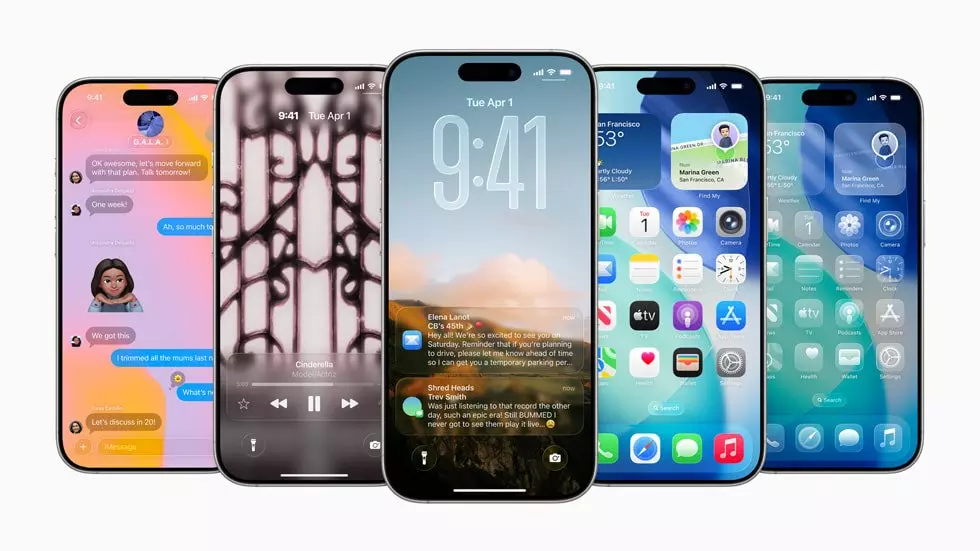
Apple is expected to release the final version of the iOS 26 to the public in September.
Tech giant Apple has released the first public beta of its upcoming iPhone software update, iOS 26.
The beta is now available to anyone enrolled in Apple’s Beta Software Program.
The iOS 26 features a new design language Apple calls “Liquid Glass.” Inspired by visionOS, the interface of the Apple Vision Pro, Liquid Glass introduces enhanced transparency. Apart from this, the iOS 26 update will include update to group chats, a call screening feature and live translation and more.
However, users should be aware that public beta software may contain bugs and incomplete features. Not all announced features will be available right away, and users may experience stability issues, app crashes, and increased battery drain. It is strongly recommended to back up your device before installing the beta.
Apple is expected to release the final version of the iOS 26 to the public in September, alongside the new iPhones.
How to Install:
- Before installing the public beta, you need to sign up for the Apple beta program. You can sign up by visiting this link.
- Go to settings > General > Software Update.
- Look for new Beta updates option and tap on it.
- Click on “iOS 26 Public Beta.”
- Go back to the previous screen and tap on “Update Now”.
List of devices which support iOS 26
iPhone 16E
iPhone 16
iPhone 16 Plus
iPhone 16 Pro
iPhone 16 Pro Max
iPhone 15
iPhone 15 Plus
iPhone 15 Pro
iPhone 15 Pro Max
iPhone 14
iPhone 14 Plus
iPhone 14 Pro
iPhone 14 Pro Max
iPhone 13
iPhone 13 Mini
iPhone 13 Pro
iPhone 13 Pro Max
iPhone 12
iPhone 12 Mini
iPhone 12 Pro
iPhone 12 Pro Max
iPhone 11
iPhone 11 Pro
iPhone 11 Pro Max
iPhone SE (second-gen or later)
( Source : Deccan Chronicle )


Next Story