How to Transform Your Selfies into Anime and Bollywood Characters for Free

15 Sept 2025 1:32 PM IST15 Sept 2025 1:32 PM IST
The latest trend had emerged after Google Gemini 2.5 introduced its 'flash image model' that lets users transform ordinary photos into stylized, toy-like 3D figurines, retro portraits, or dramatic edits with flair
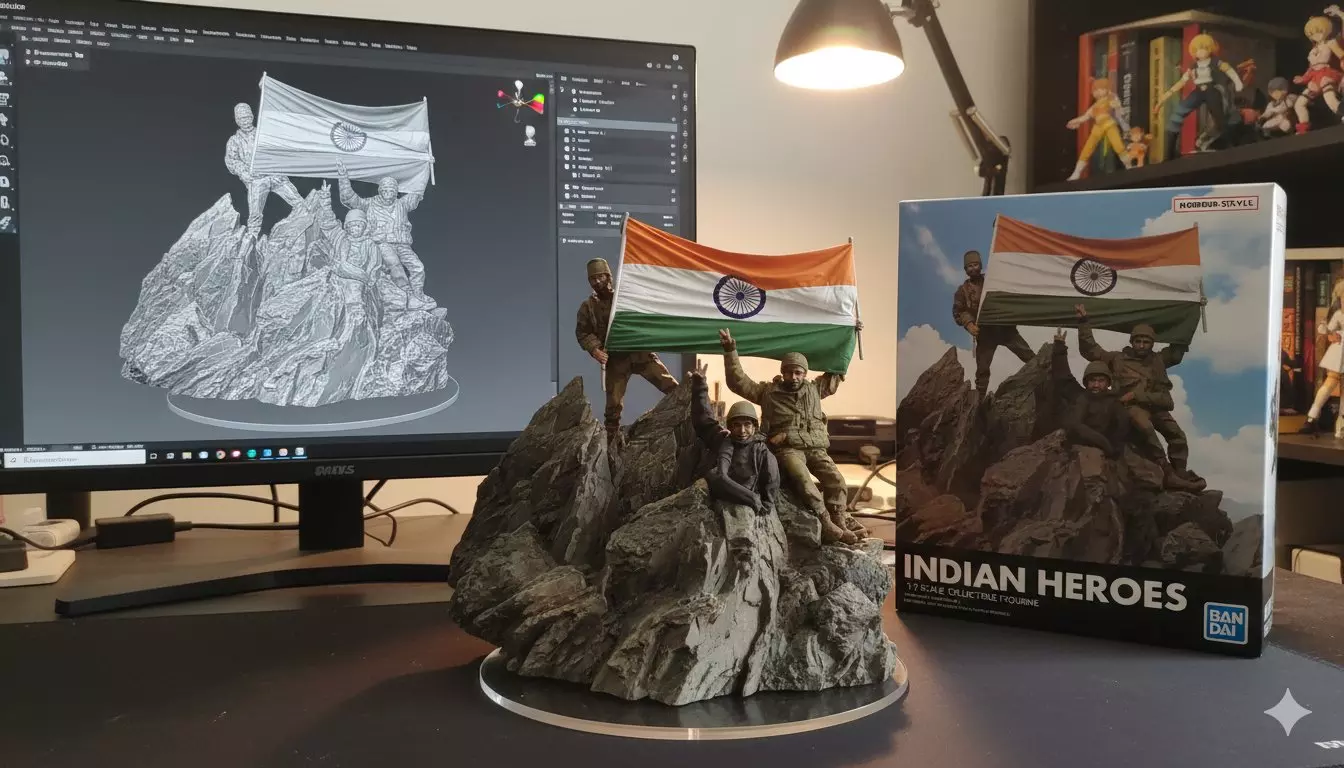
Nano Banana trend on iconic picture from Kargil war (Photo: X)
Soon after the Ghibli art trend, Instagram is flooded with another AI-involved trend called 'Nano Banana trend'. Let's know more about it.
Posts showing users in realistic toy-sized 3D icons or in retro effects are dominating Reels content. While others are turning themselves into Anime or Bollywood characters all using artificial intelligence.
The latest trend had emerged after Google Gemini 2.5 introduced its 'flash image model' that lets users transform ordinary photos into stylized, toy-like 3D figurines, retro portraits, or dramatic edits with flair.
What is Nano Banana?
Google nicknamed its 'flash image model' as Nano Banana which is integrated into the Gemini app and Google AI Studio.
The feature supports photo uploads and text prompts to create figures that look like miniature collectibles with realism, lighting, stylized packaging, and sometimes fantasy (Amine characters) or nostalgic effects.
Interestingly the model preserves subject identity (face/pet/person) even when changing backgrounds, pose or style.
Why has it gone viral?
The AI tool produces eye-catching and shareable visuals very quickly based on your prompts.
Netizens couldn't help but try the tool and then share the AI reimagined version of themselves either as in toy sized packaging or in retro film themes.
Because it’s relatively easy to use.
How to use it (step-by-step)
1. Install/open Google Gemini app or use via Google AI Studio
2. Select the Nano Banana / Gemini 2.5 Flash Image model
3. Upload a clear, well-lit photo of the subject (person, pet, etc.)
4. Write your prompt: style, pose, mood, lighting, any decorative elements. Be specific (for example turn me into a figurine on acrylic base in retro style lighting)
5. Review the generated image; tweak prompt or input if needed
Cautions & concerns
The model sometimes doesn’t follow prompts fully, producing results more similar to original image than desired edits.
Just like Chat GPT's Ghibli art, there are privacy concerns associated with this trend as well. What you upload might carry metadata or identifiable details and also the model adds an invisible watermark to mark outputs as AI-generated.
( Source : Deccan Chronicle )

Next Story